Vasati - Apartments Management System
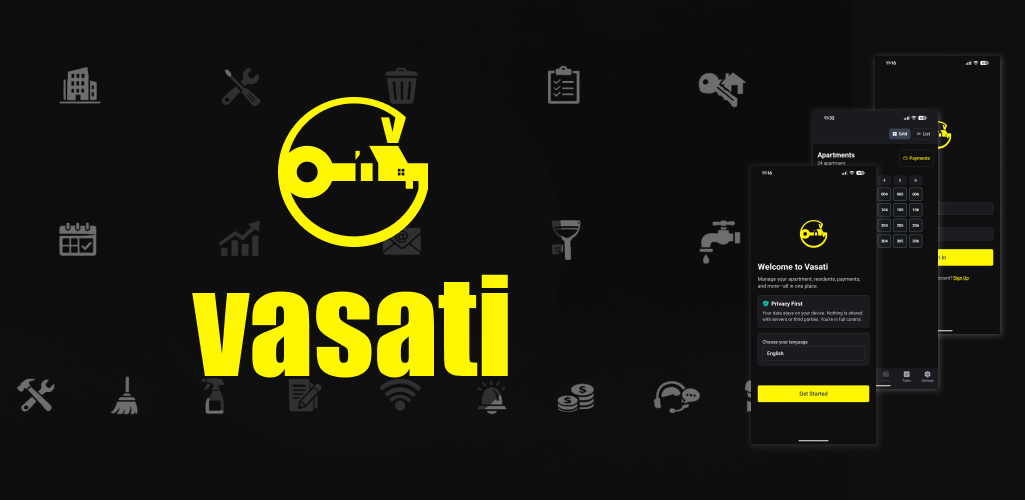
 Vasati - Apartment Management System
This page provides support information and the privacy policy for Vasati, a mobile application available for Android and iOS devices.
Support: For questions, feedback, or assistance, contact us at sukashi.labs+support@gmail.com.
Privacy Policy
Last updated: March 2026
1. Application Overview
Vasati is an offline-first React Native mobile application (iOS and Android) designed for maintenance staff to manage apartment buildings. It enables:
- Building structure setup (floors, units)
- Resident and owner management
- Maintenance fee and payment tracking
- Expenditure logging and categorization
- Notes and todo management
- Utilities consumption tracking
- Photo attachments for notes, todos, expenditures, and payments
Target users: Maintenance personnel working in apartment buildings, often in areas with poor connectivity (basements, parking garages).
2. Data Storage and Transmission
2.1 Offline-First, No Backend
- No server infrastructure: The app has no backend, APIs, or cloud services.
- No data transmission: User data is never sent over the internet.
- Full offline operation: All features work without network connectivity.
- Local-only storage: All data resides on the user's device.
2.2 Storage Technologies
| Storage Type | Technology | Purpose |
|---|---|---|
| Secure storage | Expo SecureStore (encrypted) | Credentials, session, biometric preference, onboarding state, language preference |
| Structured data | SQLite (expo-sqlite) | Apartments, residents, owners, payments, expenditures, notes, todos, utilities, photos metadata |
| Files | Device document directory | Photo attachments (JPEG/PNG) |
3. Data Collected and Stored
3.1 Account and Authentication Data (SecureStore)
| Data | Purpose | Retention |
|---|---|---|
| Username | Account identification | Until user deletes account |
| Hashed password (SHA-256) | Authentication | Until user deletes account |
| Session (username, timestamp) | Maintain sign-in state | Until sign-out |
| Biometric enabled flag | Optional Face ID / fingerprint sign-in | Until user disables |
| Last signed-in username | Biometric sign-in when no session | Until sign-out |
| Onboarding completed flag | First-time setup flow | Persistent |
| Language preference | App UI language (en, hi, ta, te, kn) | Until user changes |
3.2 Building and Management Data (SQLite)
| Data Category | Examples | Purpose |
|---|---|---|
| Apartments | Floor, unit number, payment status | Building structure |
| Residents | Name, phone, email, SPOC flag | Contact and occupancy |
| Owners | Name, phone, email, occupancy type | Contact and ownership |
| Payments | Amount, date, status, period | Fee collection tracking |
| Expenditures | Amount, date, description, category | Expense logging |
| Notes | Title, content, apartment link | Issue tracking |
| Todos | Title, description, due date, priority | Task management |
| Utilities | Consumption values, period, type | Billing and calculations |
| Photos metadata | File path, entity link | Attachments reference |
3.3 Photo Attachments
- Storage: App document directory (
photos/{entityType}/) - Format: JPEG/PNG, compressed before storage
- Scope: Attached to notes, todos, expenditures, payments
- Lifecycle: Deleted when parent entity is deleted
4. Device Permissions and Their Use
| Permission | Platform | Purpose |
|---|---|---|
| Contacts | iOS, Android | Populate resident/owner name, phone, email from device contacts (optional, user-initiated) |
| Camera | iOS, Android | Capture photos for notes, todos, expenditures, payments |
| Photo Library | iOS | Attach photos from gallery to notes, todos, expenditures, payments |
| External Storage | Android | Read/write photos for attachments |
| Biometrics (Face ID / Fingerprint) | iOS, Android | Optional secure sign-in |
5. Privacy Characteristics
5.1 Data Location and Control
- All data stays on device: No cloud sync, no remote servers.
- User controls data: Data is only accessible to the user on their device.
- No third-party data sharing: No analytics, advertising, or data brokers.
5.2 Security Measures
- Credential encryption: Passwords hashed with SHA-256; credentials stored in SecureStore (OS-level encryption).
- Session security: Session data in SecureStore.
- Biometric option: Optional Face ID / fingerprint for sign-in.
- No plaintext passwords: Passwords never stored in readable form.
5.3 Third-Party Services
- No analytics: No Firebase, Amplitude, Mixpanel, Sentry, or similar.
- No crash reporting: No automatic crash or error reporting to external services.
- Expo/EAS: Used for build and OTA updates; no user data sent for app functionality.
5.4 Sensitive Data Categories
The following data categories are stored locally only and are not transmitted:
- Personal data: Names, phone numbers, email addresses (residents, owners)
- Financial data: Payment amounts, expenditure amounts
- Photos: User-captured or selected images
- Credentials: Username, hashed password
6. Data Lifecycle
- Creation: User enters data or selects from contacts/photos.
- Storage: Local SQLite or SecureStore.
- Deletion: User can delete entities; cascade deletes remove related data (e.g., photos).
- App uninstall: All local data is removed with the app.
7. Internationalization
Supported languages: English (en), Hindi (hi), Tamil (ta), Telugu (te), Kannada (kn).
Language preference is stored in SecureStore; device language is used as default. Translations are bundled in the app; no server calls for language content.
8. Summary
- Local-only data: All data is stored on the user's device; nothing is sent to external servers.
- No tracking: No analytics, advertising, or usage tracking.
- Permissions: Contacts, Camera, Photo Library, and Biometrics are requested only for the purposes described above.
- Security: Credential hashing and SecureStore protect sensitive data.
- Data retention: Data remains until the user deletes it or uninstalls the app.
- No sale of data: No user data is sold or shared with third parties.
- Offline operation: The app works fully offline; no network transmission of user data.
For support inquiries, contact us at sukashi.labs+support@gmail.com.